How to create Panel Facades in ARCHICAD | STENI
  1. ArchDaily
  2. 产品
  3. 软件 / 课程
  4. How to create Panel Facades in ARCHICAD

How to create Panel Facades in ARCHICAD | STENI

  • Available in

  • 功能

    Facade Panel Design
  • 应用

    BIM modeling
  • 特色

    Ease of use, randomized, ARCHICAD

分类文件

The product has been saved to the folder: My Downloaded Products
STENI Logo

Contact manufacturer

STENI

STENI Logo

Contact manufacturer

STENI

More from STENI

网站 电话

更多有关该产品的信息

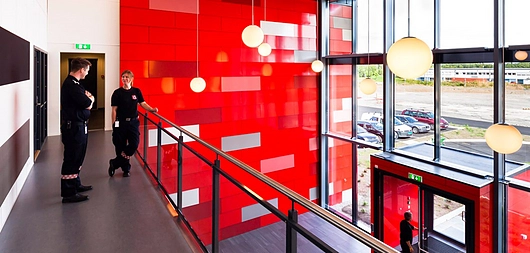
It is easy to create panelised facades with Steni Facades in ARCHICAD. The Steni tool allows you to select the panel pattern and size from predefined patterns or to create your own. For maximum control over the design you can customise the gap between panels, batten orientation and the origin of the pattern. You can select colours for the facade panels from Steni standard colours (available in three gloss levels), Steni Nature or Steni Vision Palettes. Steni BIM modules are available for both Revit and ArchiCad.

Steni Facade Panels

Latest Catalogs and Files

By downloading any file you agree to the Terms of Use, Privacy Policy and to the communication of your data to the brand from which you download catalogs and files.
See All
STENI Logo

Contact manufacturer

STENI

STENI Logo

Contact manufacturer

STENI

More from

STENI

网站 电话

Contact manufacturer

STENI Logo

Contact manufacturer

STENI

相关产品

View more related products »
How to Adjust Façade Panel Color Mix in Revit

How to Adjust Façade Panel Color Mix in Revit

STENI
Creating Drilling Patterns and Panel Lists in Revit

Creating Drilling Patterns and Panel Lists in Revit

STENI
Contact us