D5 develops real-time rendering and visualization tools for architecture and design workflows. D5 presents D5 Lite, a real-time visualization plugin for SketchUp designed to support concept development and design communication. The plugin integrates rendering, AI-assisted image generation, and material editing within the modeling environment, enabling continuous visual feedback during early project stages.
- Compatibility: SketchUp 2021.1–2026
- Operating System: Windows
- Graphics Requirement: NVIDIA RTX GPU
Embedded Visualization Workflow
Architectural models often begin as simplified massing studies with limited material and lighting information. D5 Lite introduces a visualization layer directly within SketchUp, allowing spatial, material, and atmospheric qualities to be evaluated without exporting to external software. Geometry, materials, and camera views synchronize automatically between the modeling viewport and the visualization window. This integration supports continuous iteration, enabling evaluation of composition, lighting, and material relationships in real time.
Real-Time Rendering and Material Editing
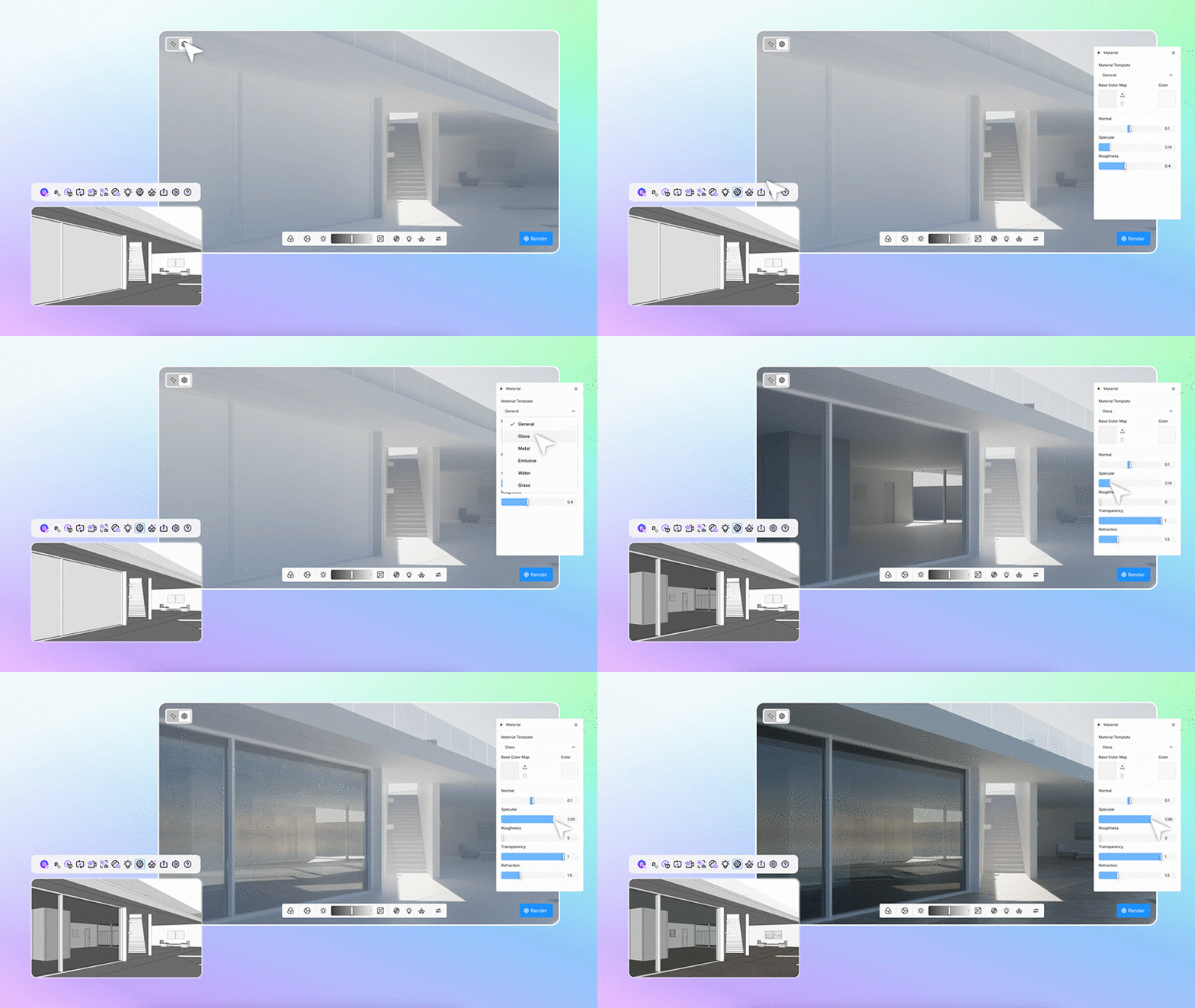
D5 Lite includes a lightweight real-time rendering engine optimized for rapid scene evaluation. Model updates, material assignments, and camera adjustments are reflected instantly. A simplified physically based rendering (PBR) system enables material editing through parameters such as base color, roughness, normal maps, transparency, and emissive properties. Material categories include general surfaces, glass, metal, water, grass, and emissive elements.
| |
| D5 Lite - Material Editing |
Lighting tools include point lights, spotlights, strip lights, and rectangular area lights. HDRI environments provide control over ambient lighting and reflections for both interior and exterior scenes.
AI-Assisted Concept Visualization
An integrated AI image generation system supports early-stage visualization and design exploration. The system uses the active SketchUp viewport as a reference, generating multiple visual interpretations while maintaining spatial structure. Adjustable parameters include prompt input, reference imagery, structure strength, and seed values. This functionality supports rapid iteration and visual mood studies during concept development.
| |
| D5 Lite - AI Image Generation |
Asset Library and Rendering Output
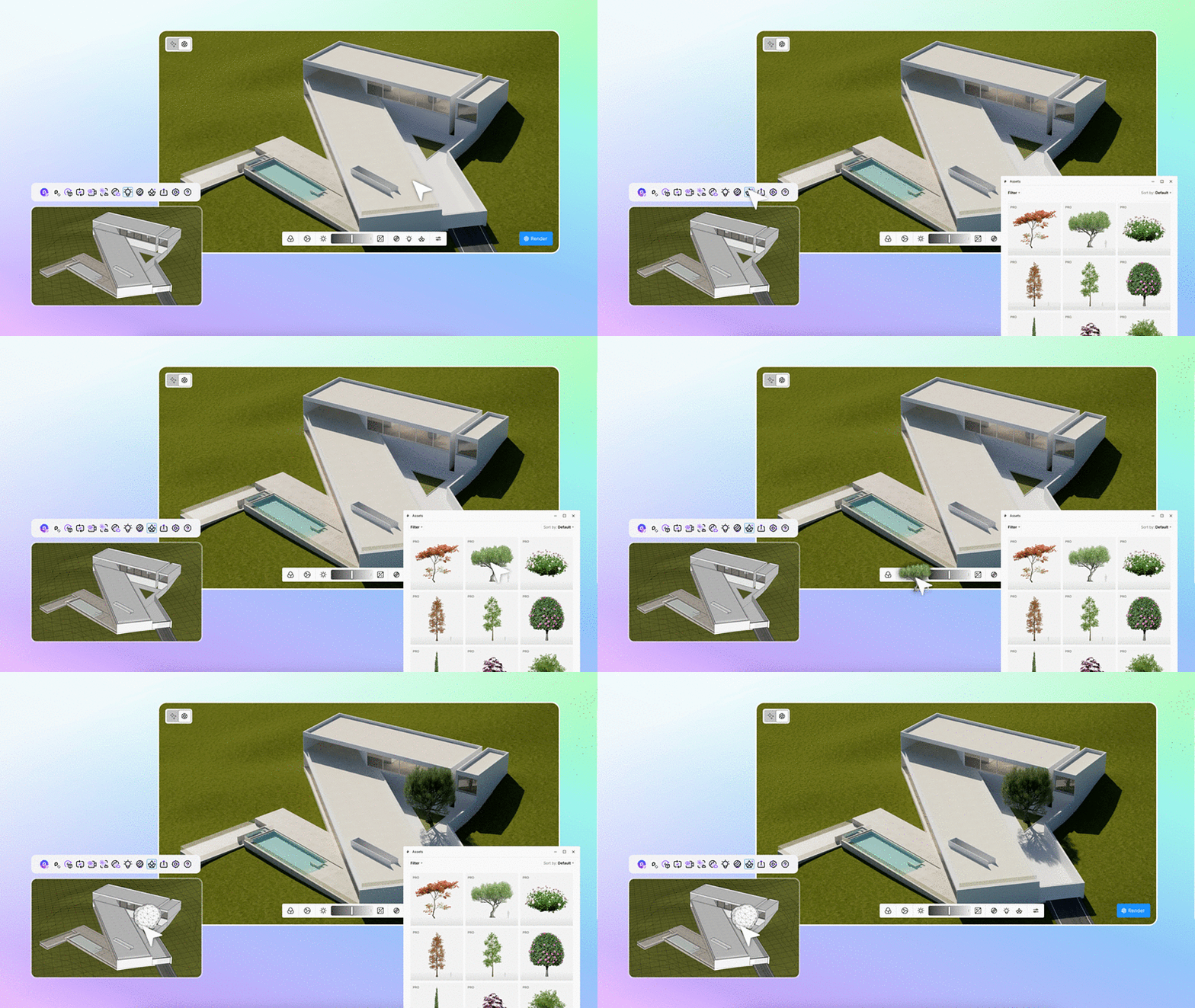
D5 Lite connects to D5 Works, an online asset library containing vegetation, furniture, and contextual elements. Proxy objects appear in SketchUp, while high-detail assets render in the visualization window. Rendering output supports resolutions up to 4K, with export formats including PNG and JPG. Visualization settings, lighting configurations, and environment data are stored within the SketchUp file, ensuring consistency across workflows.
Workflow Integration
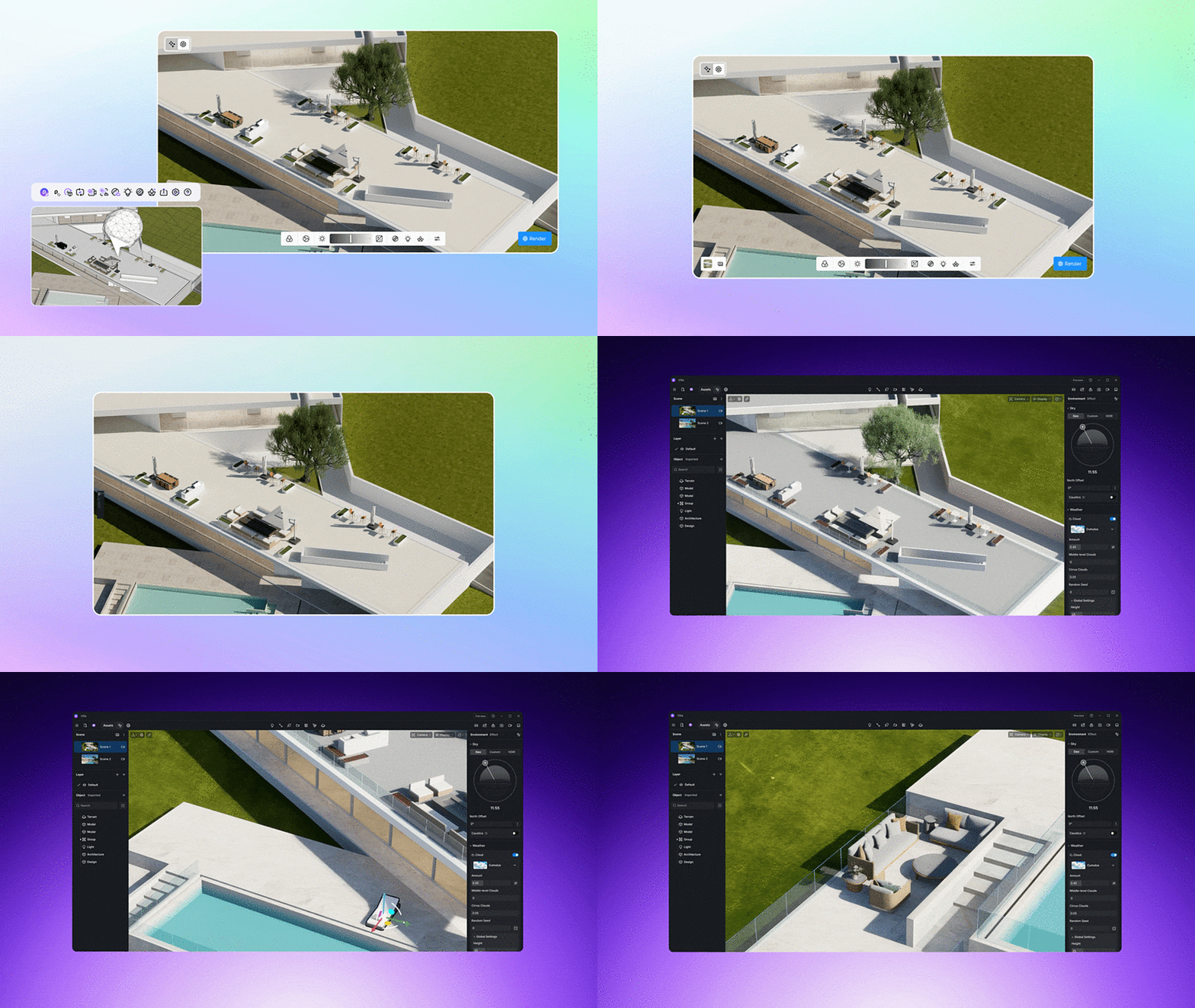
Scenes developed in D5 Lite can be transferred to the full D5 Render environment for advanced rendering, animation, and presentation production. This continuity supports progression from concept visualization to high-end visual output. Integration of visualization within the modeling process enables early-stage evaluation of design intent, improving communication and decision-making throughout project development.
| |
| D5 Lite seamlessly transferred to D5 Render |