D5 Lite is a visualization plugin for Rhino 8 that combines AI-assisted exploration with real-time rendering. The plugin lets designers explore possibilities and evaluate design decisions while keeping Rhino geometry editable, supporting architectural, landscape, and interior design workflows.
Visualize While Designing in Rhino
| |
| Real-time shadows and lighting adjustment inside Rhino with D5 Lite for precise visual feedback |
D5 Lite's Real-Time Rendering mode displays PBR materials, lighting, shadows, and environmental conditions within the Rhino viewport. Changes to geometry, materials, lights, or Geo Sky are reflected as the model develops.
Real-time visualization allows designers to compare materials, study lighting conditions, review spatial relationships, and assess architectural, landscape, or interior elements during design development. The workflow connects modeling and visualization through an iterative process of model, visualize, evaluate, and refine.
Explore Design Directions with AI Generation
| |
| D5 Lite's AI Generation mode transforms a simple Rhino massing model into a detailed architectural concept |
D5 Lite's AI Generation mode supports the exploration of different materials, environments, atmospheres, and stylistic directions during earlier stages of design development. Designers can work from the current Rhino viewport using architectural, landscape, or interior presets, text prompts, or reference images to generate visual alternatives based on the developing model. AI processing is cloud-based.
AI Generation supports design exploration, while Real-Time Rendering supports evaluation of Rhino geometry with defined materials and lighting. Designers can move between both modes as ideas develop.
Visualization Data Stored in the .3dm File
| |
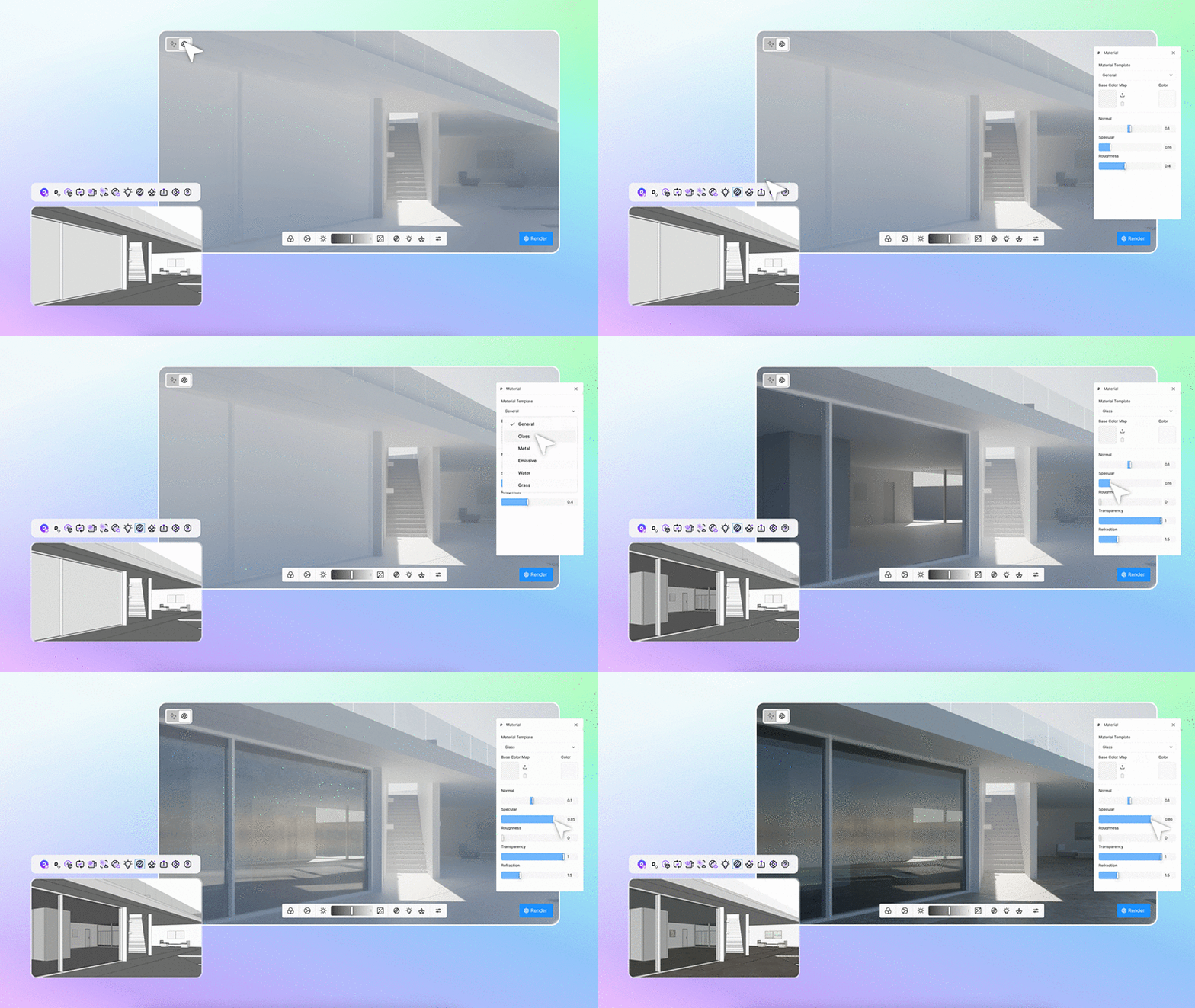
| Getting real-time PBR material feedback during concept modeling with D5 Lite for Rhino |
Materials, lighting, and Geo Sky settings created with D5 Lite are stored directly in the Rhino .3dm file. When the project is opened on another computer with D5 Lite, the visualization settings remain associated with the file without requiring separate configuration files.
D5 assets can also be introduced as proxy models, allowing vegetation, furniture, and entourage to become part of the Rhino visualization workflow.
Move from Rhino Design Exploration to D5 Render
| |
| An end-to-end Rhino workflow using D5 Lite, D5 Works, and D5 Render |
D5 Lite supports visualization during earlier stages of design development. When projects require advanced detailing, high-resolution still images, animations, or Interactive Presentation, scenes can continue into D5 Render through one-way synchronization.
Materials, lighting, proxy models, and Geo Sky settings can transfer with the project, allowing visualization work established during design development to continue into presentation production. The workflow connects design exploration in Rhino with visualization, refinement, and presentation.