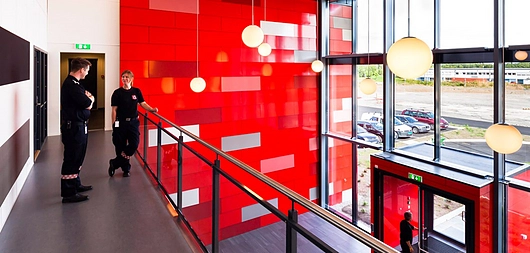
How to create Panel Facades in ARCHICAD | STENI
  1. ArchDaily
  2. Productos
  3. Software / Servicios
  4. How to create Panel Facades in ARCHICAD

How to create Panel Facades in ARCHICAD | STENI

  • Disponible en

  • Uso

    Facade Panel Design
  • Aplicaciones

    BIM modeling
  • Características

    Ease of use, randomized, ARCHICAD

4 Archivos de productos

Este producto ha sido guardado en tu carpeta: Mis productos descargados
STENI Logo

Contacta al fabricante

STENI

STENI Logo

Contacta al fabricante

STENI

More from STENI

Sitio Web Teléfono

Más sobre este producto

It is easy to create panelised facades with Steni Facades in ARCHICAD. The Steni tool allows you to select the panel pattern and size from predefined patterns or to create your own. For maximum control over the design you can customise the gap between panels, batten orientation and the origin of the pattern. You can select colours for the facade panels from Steni standard colours (available in three gloss levels), Steni Nature or Steni Vision Palettes. Steni BIM modules are available for both Revit and ArchiCad.

Steni Facade Panels

Catálogos y archivos más recientes

Al descargar cualquier archivo, aceptas los términos de uso, políticas de privacidad y la entrega de tu información a la empresa de la cual descargas catálogos y archivos.
Ver todos
STENI Logo

Contacta al fabricante

STENI

STENI Logo

Contacta al fabricante

STENI

More from

STENI

Sitio Web Teléfono

Contacta al fabricante

STENI Logo

Contacta al fabricante

STENI

Productos Relacionados

Ver mas productos relacionados »
How to Adjust Façade Panel Color Mix in Revit

How to Adjust Façade Panel Color Mix in Revit

STENI
Creating Drilling Patterns and Panel Lists in Revit

Creating Drilling Patterns and Panel Lists in Revit

STENI
Cotizar